

Hi.
The last batch of updates were supposed to be smaller than they ended up being, with a new change in direction that might affect not only this project but future games as well.
Current Progress
Reforming Code
To finish the integration of the new LevelCamera in the game, the hidden Test Level was combined with the scene made to test the Camera, using the base code for all levels in the process - automatically updateing every level to work with LevelCamera.
Following this refactor, the control flow on SceneLoader was improved to deal better with possible edge cases.
Ink on the canvas
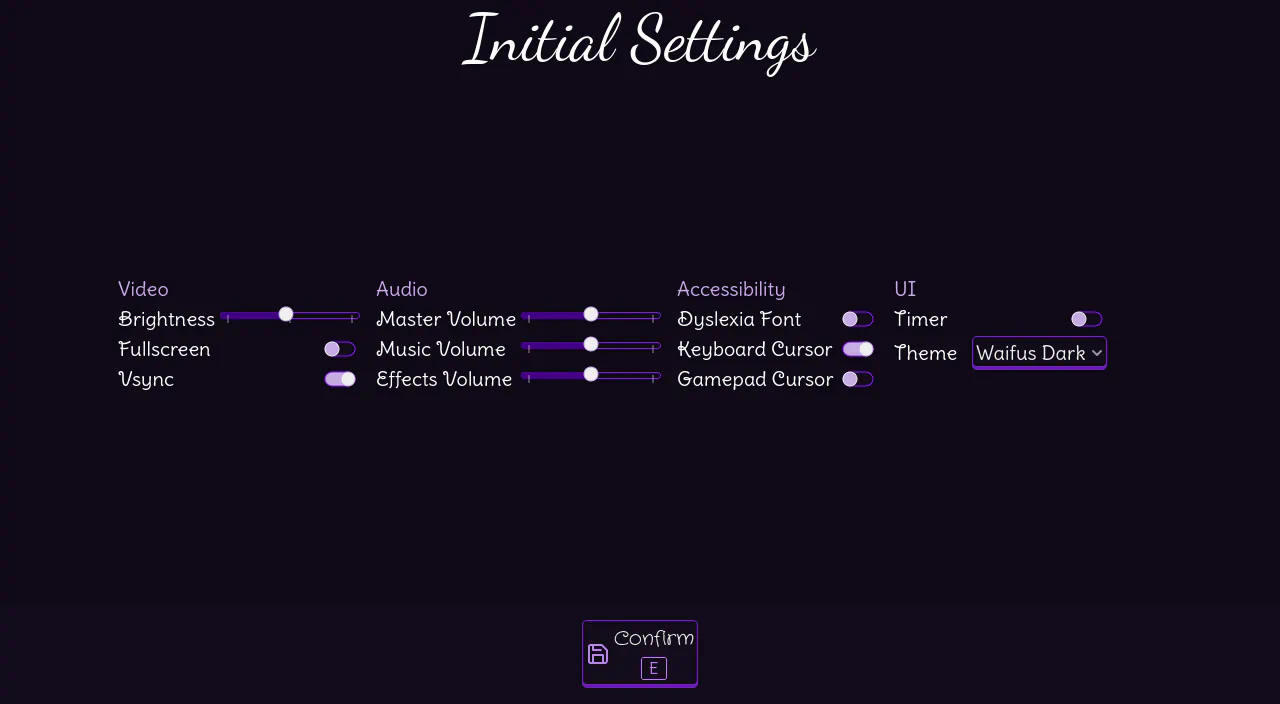
Since this website was made, a light theme was created for the game but never really tested or shown to the player. Now on every instance of the Settings screen there is a Theme option to switch between "Waifus Dark" and "Waifus Light" anytime.
This settings is available in the Settings menu (from Main Menu), on Quick Settings (accessed in levels) and in Initial Settings (shown on the first time opening the game):
On top of that, the whole UI of the game had a small rework in two points:
- Moving more properties to Themes, allowing more customization
- Removing unnecessary nodes, to consume less resources
Random people in Godot's forums and answers platforms would swear that several of the things I moved to themes are impossible to do without using tons of nodes in scenes. Gamedevs are often taught bad practices by noobs who pretend to know more than they really know.
The ingame UI was simplified to be a bit more clean, but most menus remained with mostly the same look:
Love for Controllers
As shown in the previous print, the navigation buttons on screens had a major change: now they show a clear hint for their keyboard shortcut bellow their text. And, of course, they are also present for controllers:
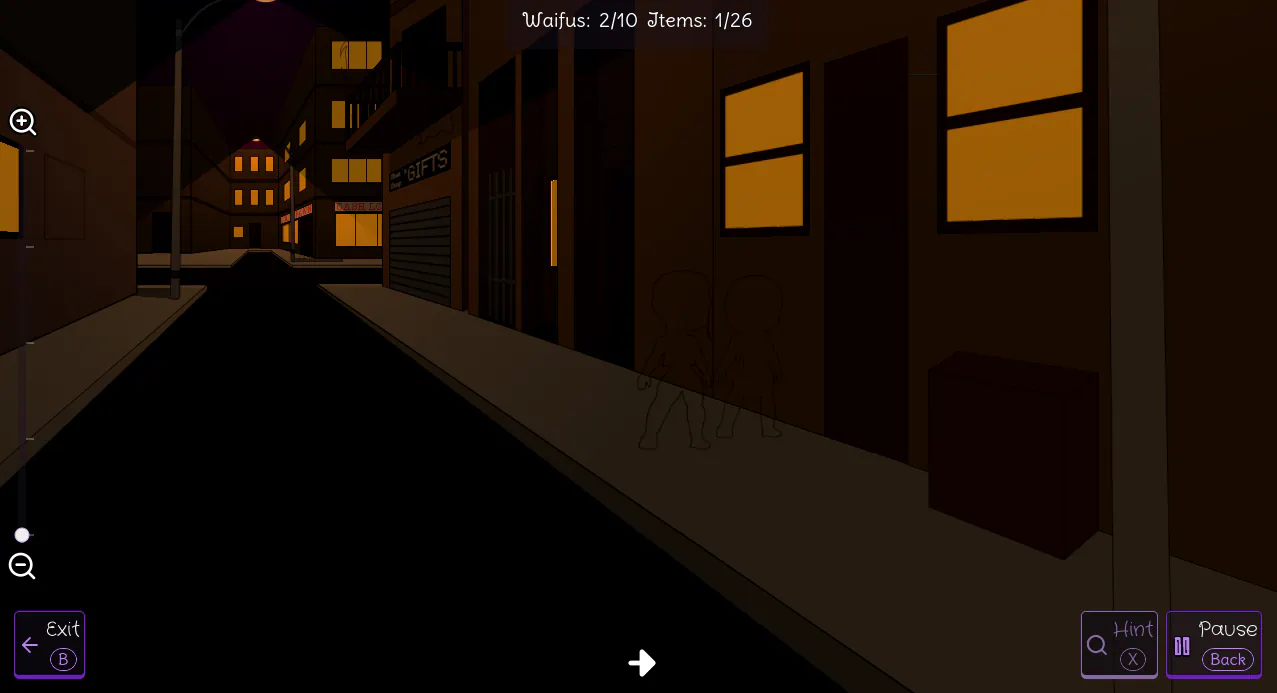
This is a feature I've seen in several games that really makes navigation quicker and intuitive, and fully intend to use in my futute games - after all, Hidden Waifus has always been the first step of a staircase in my eyes!
The first extension to this feature comes from a design decision made on the project since the beginning: keeping navigation buttons on the same position in all screens, always with the same shortcut for each position. This keeps navigation consistent, allowing the player to not be lost and avoid mistakes.
The second extension comes directly from a game I play regularly: Warframe. Switching the shortcuts hints between their keyboard and controller counterparts, following the player's most recent input. This allows the player to always know what shortcuts are available, regardless of preferred input method, with an important difference in my implementation: mouse input does not update the hints, so using controller+mouse will not waste time constantly updating the UI.
As icing on the cake, the game detects at start if a controller is connected to choose if the shortcut hints will be for controller or keyboard.
Next Steps
Here we go again
Would you believe if I said that mathematics dictated another rework on the project? In the current sprite-based character design (at least 5 skins per char, with 3 poses) we would need ... 1800 different images to have all Waifus we plan to have in the game!
That is an insane level of work for a project meant to be "simple", so me and One Lazy Robot studied alternatives until we reached a new direction: cut-out animation, making the characters into different parts that are assembled together in the engine instead of a single image.
That automatically solves the problem of having multiple poses, but Lazy did think further than me on that: it allow us to re-use similar body-parts among different Waifus, since in our chibi style all of them will have the same height. And also allows to share facial expressions on all skins of a character.
Personally I'm aiming to a step further: making clothes and accessories an overlay over the body of a character, making skin creation - and randomization - easier.
Back from the Past
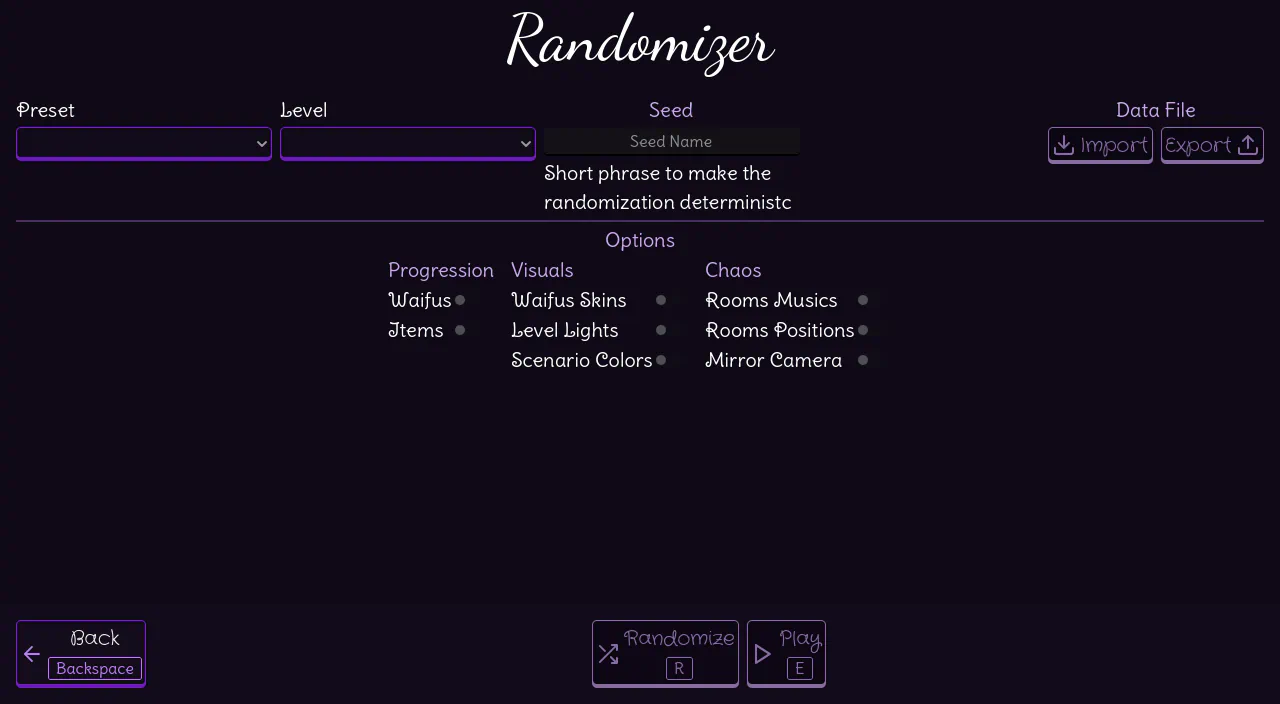
Yes, the Randomizer recieved some love in this update too!
Starting with a rework on the UI, that now dynamically loads Presets and randomization Options from Resources instead of having a fixed screen.
This change still has to be reflected on the code, that needs to be integrated with the new Resources, but it was antecipated to finish the reworks on UI as soon as possible.
Navigation
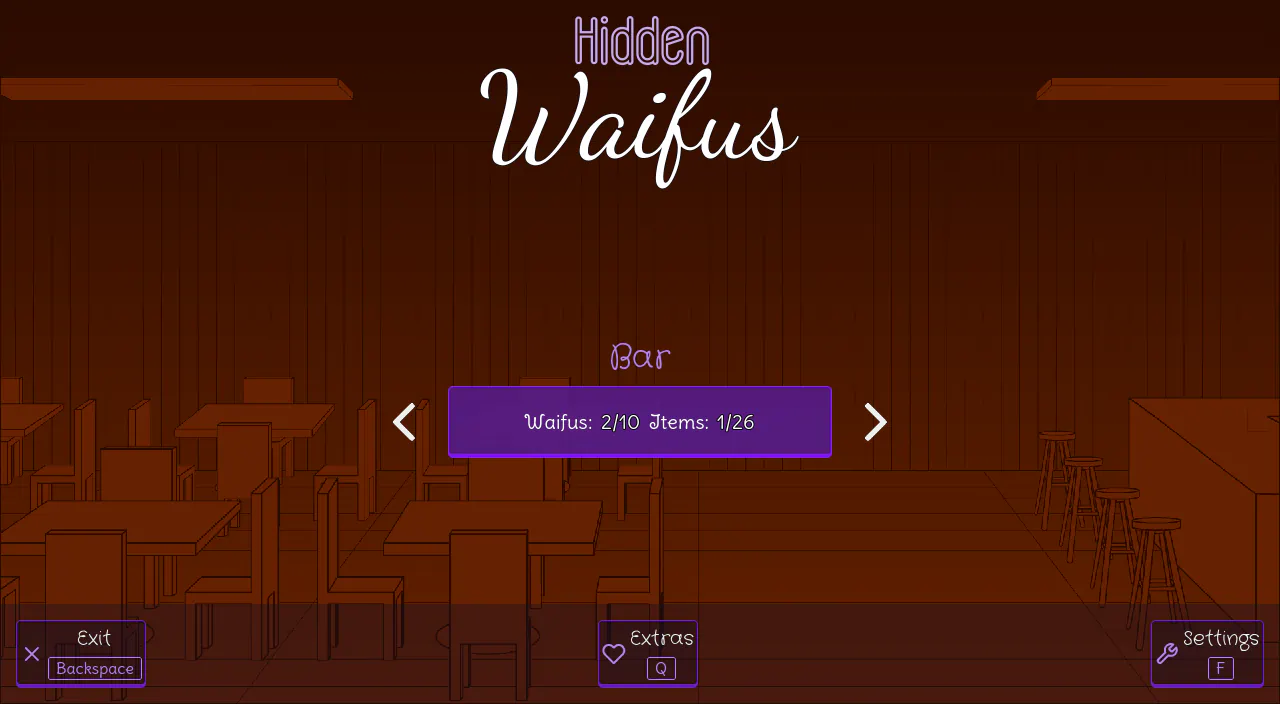
To begin tests with other levels besides Test Level and Bar, I'll implement very basic concept art for the other levels and navigation among them. The objective is simple: have visible progress on the project, to not let motivation fall of a cliff when things seem to never end.
Goddamn Shaders
I tryed my best to avoid this specific tool for one simple reason: current day gamedevs over-use shaders so much that it feels exactly like vibe-coders depending on AI for everything. Both bad practices even share two common trends: bad optimization and not knowing how to do things any other way.
But I have to admit, those micro-programs for GPUs are super useful and call creatively fill two roles to make Hidden Waifus and other hidden-object games simpler:
- create uniform outline atop of composite characters (like the ones for cut-out animation)
- create an outline only variant of any character/item, to reduce the number of sprites
This is why I'm willing to embrace the user of shaders for those mentioned purposes, always keeping moderation and performance in mind. Because, like Clankers, they are a tool than can have a good effect when used wisely.
This whole month has been crazy to me, I can barely notice the time passing because there is so much happening. But my dream project will not be put in second play as long as I can still work on it!
But for now, until the next Devlog.